
If you’ve ever downloaded a Sims 4 build and wondered where the tray files actually go… don’t worry, you’re not alone.
This quick guide will show you exactly how to install Sims 4 tray files so your new builds show up correctly in-game — even if you’ve never downloaded a lot before.
What Are Sims 4 Tray Files?
Tray files store Sims 4 lots, houses, rooms, and Sims households. When creators share a build outside of the Gallery, they usually package the build as tray files that you place directly into your Sims 4 folder.
How to Download Tray Files
Step 1 — Download the Build Files
Download the tray file folder from the creator’s link and save it somewhere you can easily find it, like your Desktop or Downloads folder.

Most builds will download as:
• .ZIP files
• .RAR files
Step 2 — Extract the Files
Before the build will work, you need to extract the files.
Right click the folder and choose:
• “Extract All.”
or use apps like:
• WinRAR
• 7-Zip
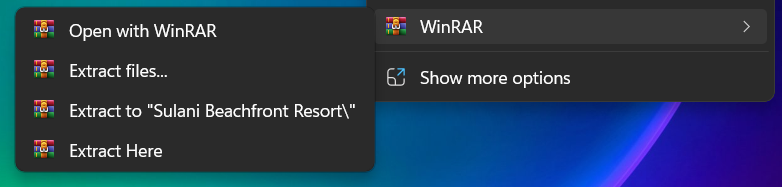
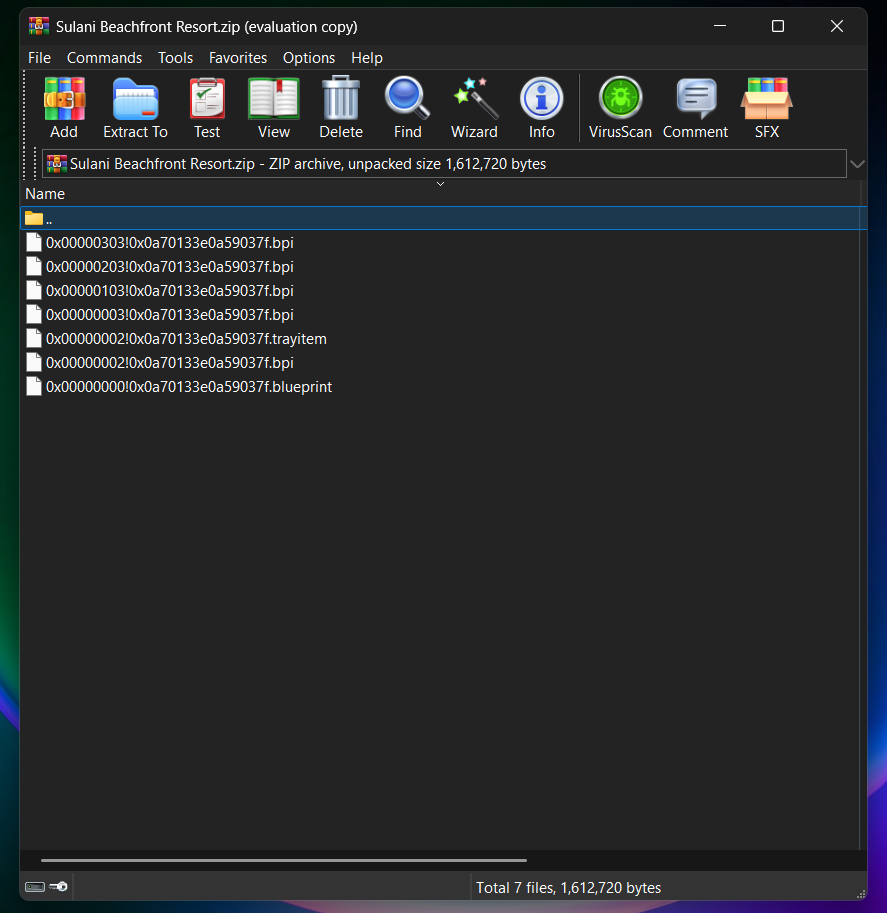
After extracting, you should see several files with names ending in:
• .trayitem
• .blueprint
• .bpi
Step 3 — Find Your Sims 4 Tray Folder
Windows path:
Documents > Electronic Arts > The Sims 4 > Tray
Mac path:
Documents > Electronic Arts > The Sims 4 > Tray
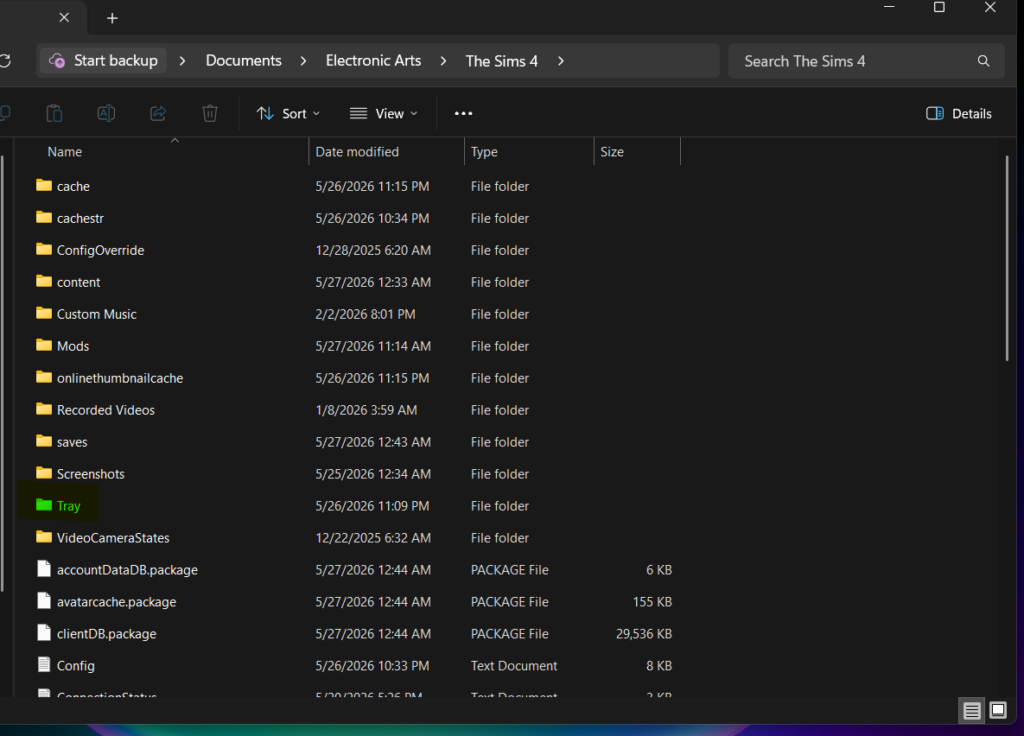
Place the files in the tray folder.
How to Find the Build In-Game.
Open The Sims 4 and go to:
• Gallery
• My Library
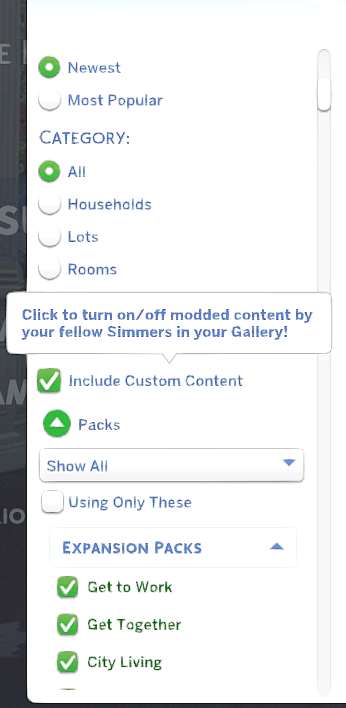
Make sure:
“Include Custom Content” is turned ON (even for some No CC builds)
You should now see your downloaded build in your library.
Common Problems & Fixes
“My build isn’t showing up.”
Possible fixes:
• Files were not extracted
• You placed the files in the wrong folder
• “Include Custom Content” filter is off
“The house looks different.”
Although the builds are no cc, a lot do require specific packs for the build to show up exactly as pictured. If the build looks different in your game, it’s possibly because of:
• missing packs
• outdated game version
Ready to download your next build?
Browse our curated collection of:
✔ No CC homes
✔ Starter builds
✔ Family homes
✔ Luxury Sims 4 lots