

There’s a very familiar feeling that hits us all who love and play the Sims 4 at some point. You open your game, stare at your half renovated save file, and think: I need to start over. The houses feel repetitive, community lots sit empty, and every world starts to blend.
Starting a fresh save with all No CC builds is actually very new to me. It wasn’t until a major game update that I opened my save and found that it had been corrupted. It had been a while since I played the game completely vanilla, but I needed to while I sorted out the corrupted CC and mods.
I discovered while looking for No CC lots that I was finding builds that were so carefully designed, I couldn’t even tell that it was only built using objects from the packs EA released.
Maybe I didn’t need to fill my world with a thousand CC filled lots and builds, or at the very least, I could have one forever save file, all No CC.
Creators put real time and craft into figuring out what EA’s content can do when you push it. The result: builds that are usually more inventive than heavily CC’d lots, because the creator really had to think, design, and build.
If you’ve never built a Sims 4 save file with all no CC builds before, I want this to be the guide that convinces you to try. Everything from here is designed with that approach in mind, intentional, low-maintenance, and built to actually last.
Let’s get into it.
Start with a vision.
I’ve adopted the thought that: you are not required to use worlds the way EA intended. Windenburg doesn’t have to be a quirky European hangout. Sulani doesn’t have to be the place your Sims go to fish. You get to decide what each world means in your save file.
Before you start any new save or download a single build, ask yourself: What kind of save am I actually creating?
Is this a wealthy legacy save where your founding Sim claws their way to the top? A royal or noble save with old money estates and dramatic storylines? A super realistic save where every Sim has a job, a routine, and a reason to exist? Or maybe a vacation-focused save where the whole point is exploring beautiful destination lots.
Your save file has a personality, and when you’re starting a fresh save, it’s much easier if you’ve already figured out what that is.
What if Windenburg was old money territory, full of aristocratic families with secrets and dinner parties? If Sulani was a vacation destination your Sims actually traveled to, with hotels, resorts, and beach bars?
If Newcrest were a custom suburban town you built from scratch, exactly the way you wanted, and Del Sol Valley was your celebrity district,…. your save would stop feeling like a collection of random lots and start feeling like a world.
The Gallery Is Your Best Friend (And You’re Probably Not Using It Right)
The Gallery is one of the most underutilized features in Sims 4, and honestly, I was never using it right.
First, search by hashtag. This feature alone helps you find the exact lot you want to place and narrows down your results dramatically.
Try searching #NoCC or if you want builds that don’t require any specific packs #Basegame. If you need a done for you nursery, try #Family. Or a cabin for Granite Falls? #cabin. The hashtag system essentially turns the Gallery into a curated library.
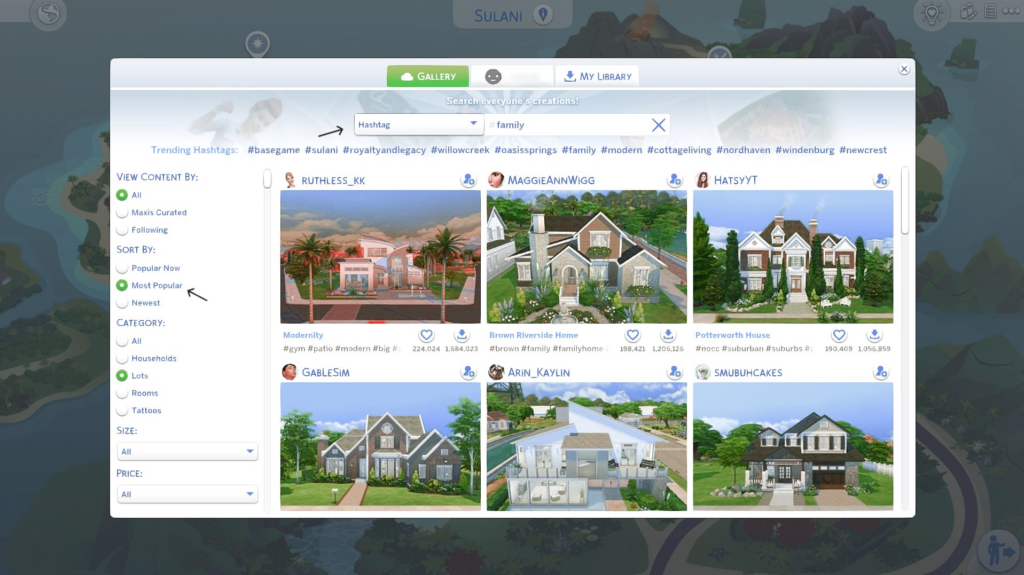
A filter I love to use is to always choose “Most Popular” or “Popular Now” instead of “Newest”. That’s how you’re gonna find trending builds by amazing creators, and these are usually the ones with the most detail.
Search by creator.
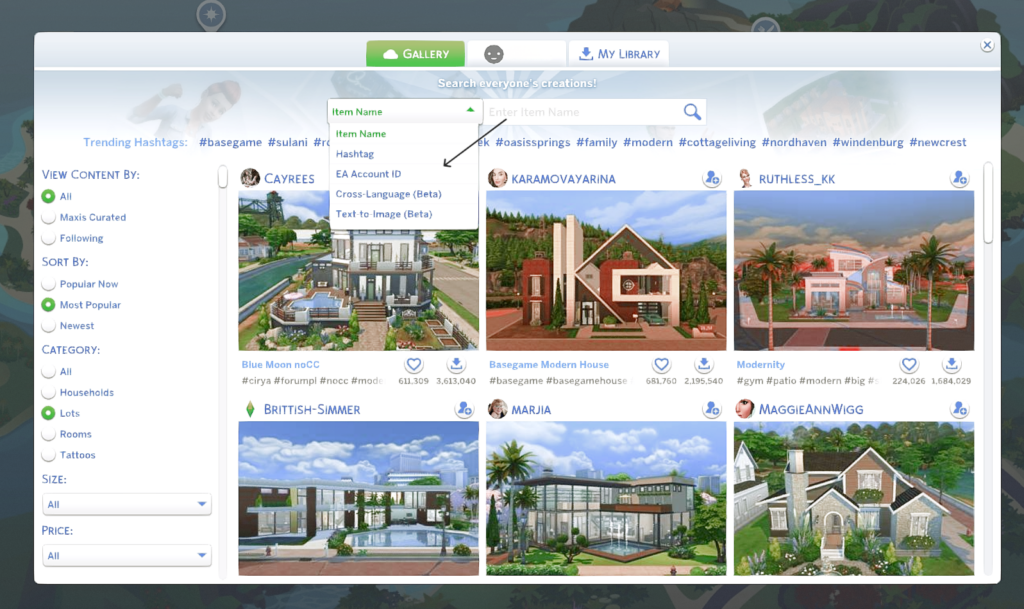
If you know the creator you’re looking for, use the dropdown menu and choose EA ID. Once you find a builder whose builds you like or whose aesthetic matches yours, make sure you follow them. That way, you can go directly to their page and search their profile for more of the specific lots you want.
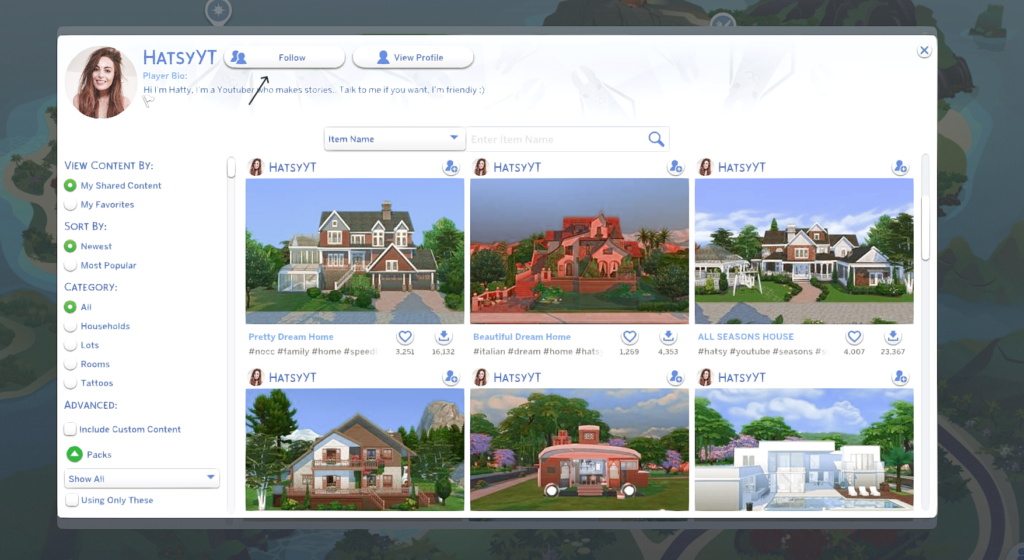
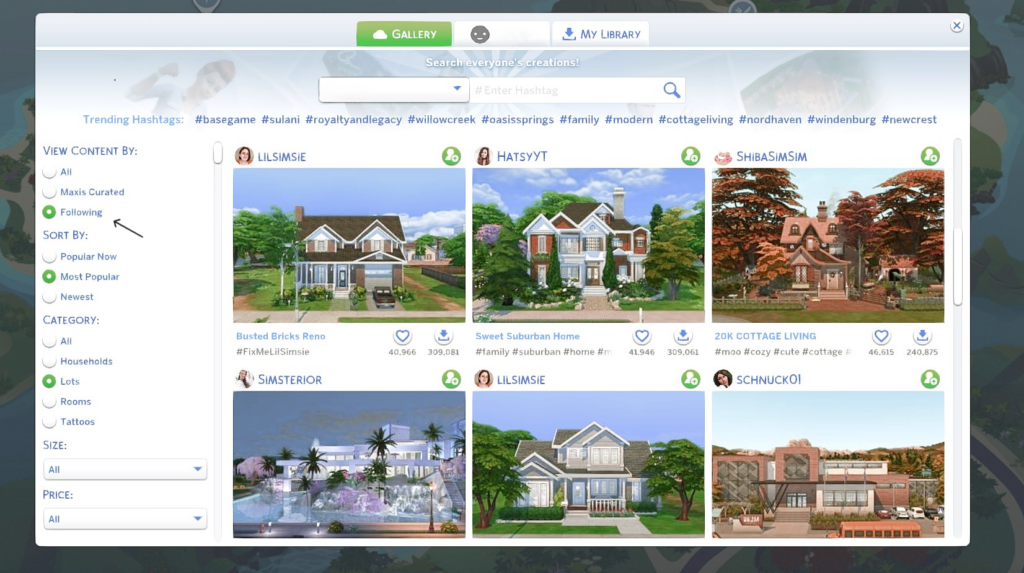
Once you’ve followed a few creators, you’ll be able to search directly from the main page of your gallery by clicking the filter “following” and searching your collection of curated creators. Think of this as your gallery “feed” and use it to see which new lots your creators have uploaded that you can also use.
Speaking of filters, use filters! You never need to worry about a build containing things from packs you don’t have you or placing a build filled with EA base game replacements, just use the filter and choose “show owned”.
You can get as specific as you want with the filter, from the lot size, price, or the exact type.
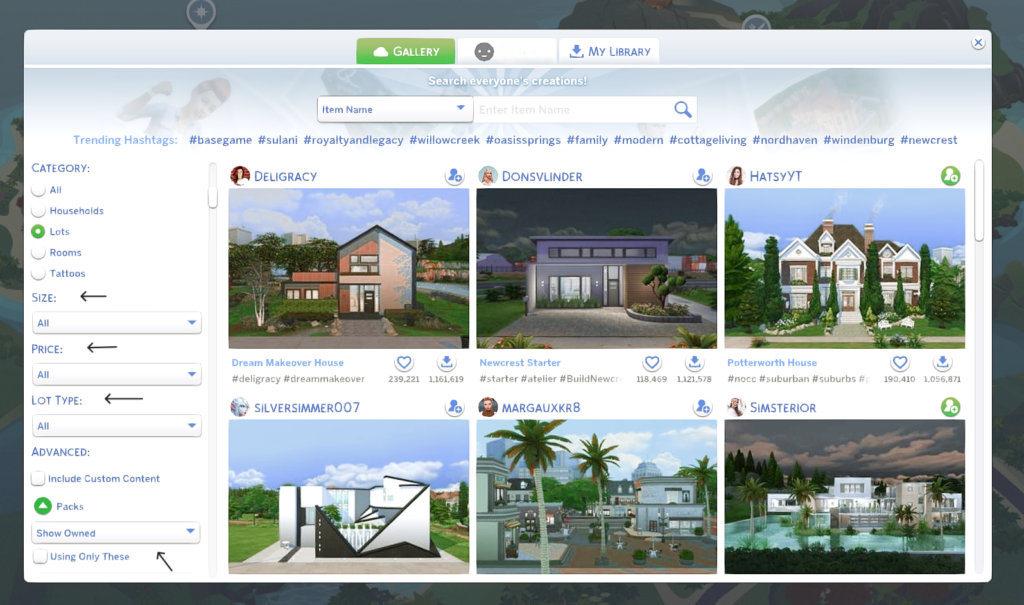
Search by lot type. You can filter the Gallery specifically by residential lots, restaurants, gyms, lounges, parks, and more. When you’re trying to fill out a specific world, this saves you from scrolling through hundreds of builds that aren’t relevant to what you need right now.
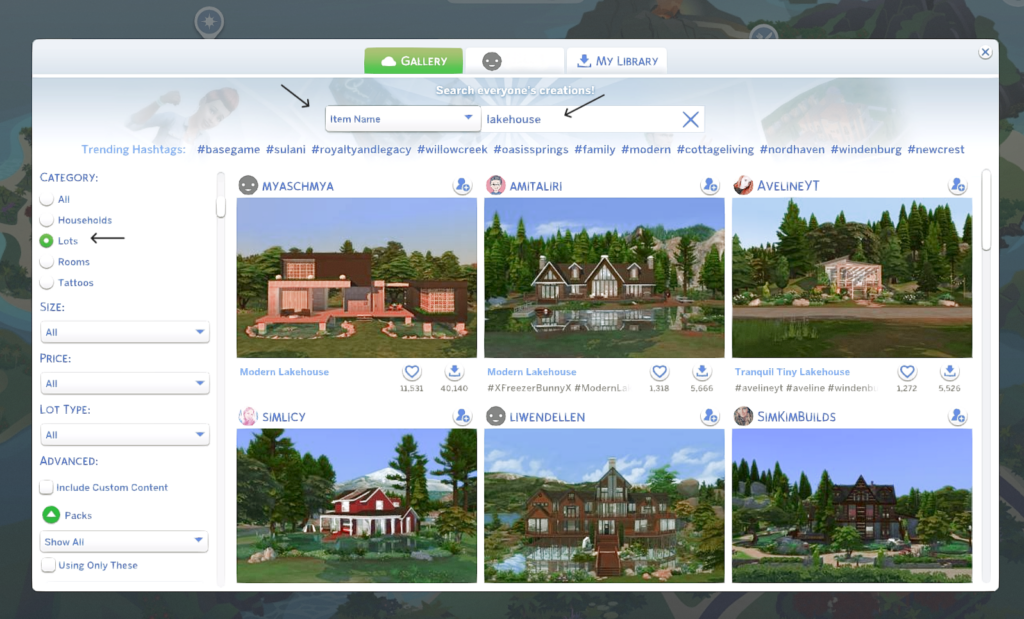
Last but not least, use the favorites system. I think this one is a favorite. When you find a build you love but aren’t ready to place yet, heart it. Build a collection of favorite lots organized by type. Starter homes in one mental folder, community lots in another, vacation destinations in a third.
When you sit down to actually populate your save, you’ll already have a curated list waiting for you instead of starting the search from zero every time.
The Gallery has thousands of builds! The players who feel like they can never find anything good are usually the ones searching “house” and giving up, but that doesn’t have to be you. You can be the player who feels like they have unlimited options because you’ve learned to search smart.
Replace the Lots You Actually Use (Not All of Them)
Here is the trap that catches almost everyone: you decide to start fresh, and suddenly you feel the urge to renovate everything. Every world. Every lot. Every house in every neighborhood. You want it all perfect before you start playing.
Don’t do this.
I once started with an empty save file, and for months, my save never felt complete. I was truly overwhelmed with trying to handpick every lot for every occasion myself. My Sims never left the house!
Instead, think about your actual gameplay. Which lots does your game genuinely touch every week? When you play your Sims, where do they go? Where do you send them?
For most players, the answer is pretty standard: Home, maybe a park, a restaurant they take dates to, a gym, a cafe, or whatever lot is relevant to their current storyline. That’s it. The basics.
Start there. Replace your starter home first. It’s where you’ll spend the most time, so it has the biggest impact on how your save file feels. Then find one park that fits your aesthetic. One restaurant. One vacation lot if travel is part of your gameplay.
That’s your Phase One. You can expand from there as your save grows and your Sims life expands. The goal (at first) isn’t a perfect world, it’s a playable one.
Give Every World a Purpose
Once you’ve established your vision, go back to your world map and make some decisions. Every world in your save should have a role and a reason to exist to support its story.
Here’s a simple guide for starters and more or less the way EA intended for you to use the world:
Windenburg — Wealthy, established families. Old money. Dinner parties, complicated inheritance drama, and estates that have been in the family for generations.
Sulani — Vacation destination. This is where your Sims go when they need a break, fall in love on holiday, or run away from their problems. Lean into the tropical getaway energy.
Del Sol Valley — Celebrity district. Fame aspirations live here. Your rising actress, your influencer, your musician trying to make it.
Granite Falls — Retreat world. A place for camping trips, mental resets, and nature storytelling. Not a primary residence world, but one your Sims visit intentionally.
Newcrest — Family suburb. Build it exactly how you want it. This is the blank canvas world, and that’s its superpower.
Forgotten Hollow — Occult gameplay. Vampires, mysteries, dark aesthetics. Even if you don’t play occult heavily, having this world designated for that keeps your supernatural storylines contained and intentional.
I also like to look at each Sim world in comparison to our own. This helps immensely in deciding the vibe of each world for my gameplay. I like to imagine that when my Sims travel, they travel through the world the way we do. Like this:
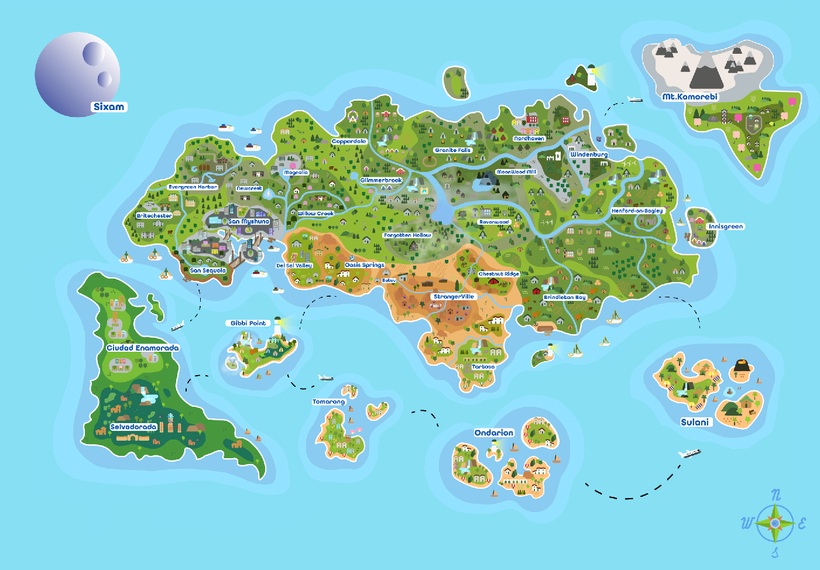
USA:
Willow Creek – New Orleans
Oasis Springs – Arizona / Nevada / Las Vegas
Newcrest – Suburbs / Small town
Brindleton Bay – Maine / Massachusetts
Magnolia Promenade – New Orleans (Shopping District)
Evergreen Harbor – Seattle / Portland
San Myshuno – New York / Tokyo / Shanghai
San Sequoia – San Francisco
Del Sol Valley – Los Angeles
StrangerVille – New Mexico / Area 51
Chestnut Ridge – Texas / Wyoming
Moonwood Mill – Oregon
Copperdale – Mount St. Helens / Oregon
Granite Falls – US National Parks / Oregon
Foxbury Institute – Stanford University
Batuu – Park near Del Sol Valley / “Sims-style” Disneyland
Latin America:
Ciudad Enamorada – México
Selvadorada – Mayan / Aztec cultures
Europe:
Windenburg – Germany
Northavenn (San Sequoia district) – Copenhagen / Amsterdam
Henford-on-Bagley – England / The Cotswolds
Britechester – Oxford / Cambridge
Ravenwood – Romania
Forgotten Hollow – Transylvania
Tartosa – Italy / Spain
Ondarion – Italy / Greece; Portugal / France; West Africa (Mali / Benin)
Innisgreen – Ireland / Kilkenny
Asia:
Mt. Komorebi – Japan
Tomarang – Thailand / Vietnam
Sulani Islands – Polynesia / Hawaii
Credit: Nocturne
Most Sims content skips over this kind of world-building framework entirely. But once you have it, your save feels less like a collection of lots and more like an actual living place.
Essential Build Categories to Fill
With your vision and your world purposes in place, you can now think about what types of builds your save actually needs. Think in categories, not individual lots:
Starter Homes — Every save needs at least two or three of these. This is where new Sims begin, and having good options makes starting a new household feel fresh instead of depressing.
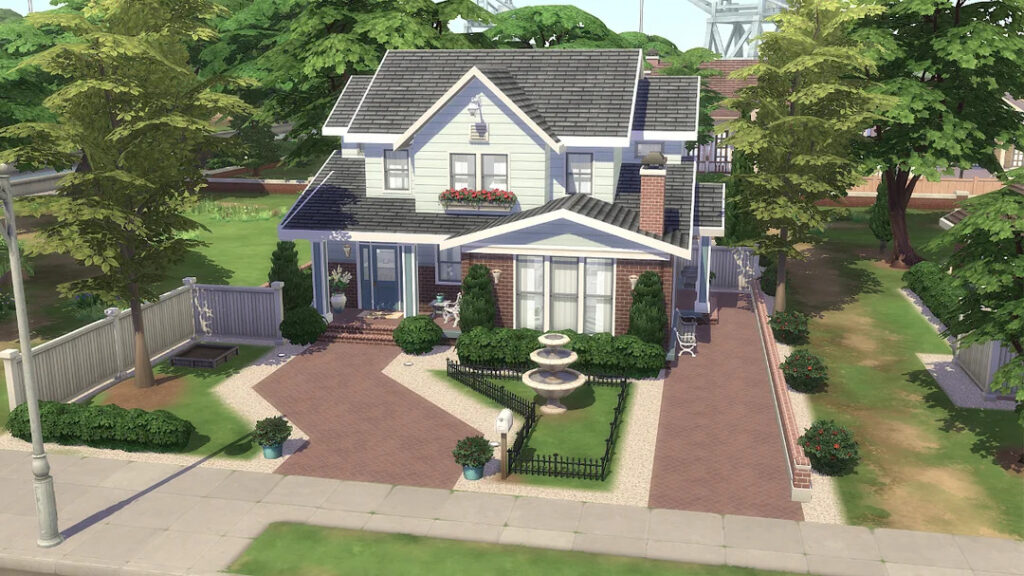
Family Homes — These are the houses where your generational gameplay happens. Future-proof them: multiple bedrooms, space to grow, good bones for renovation as your families expand.
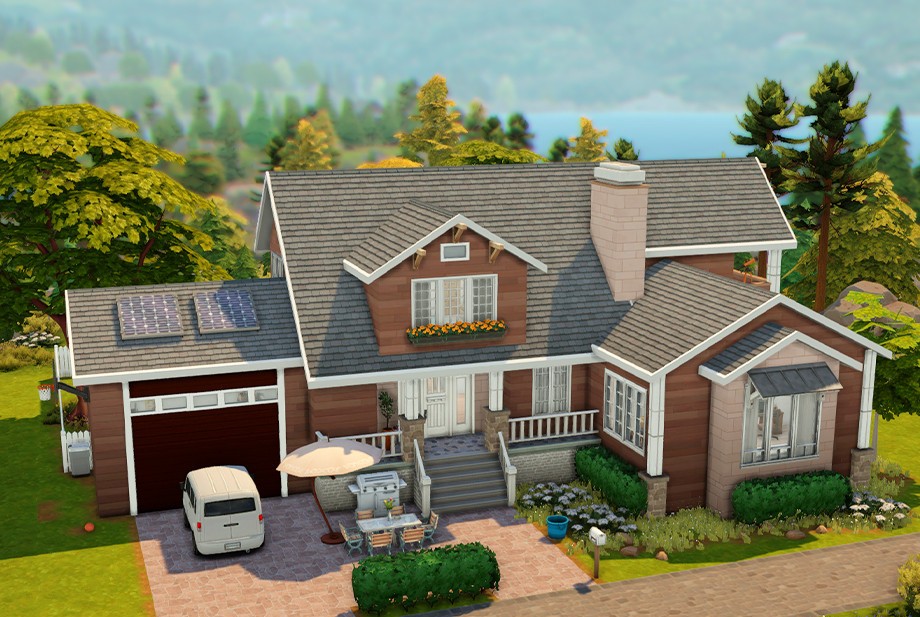
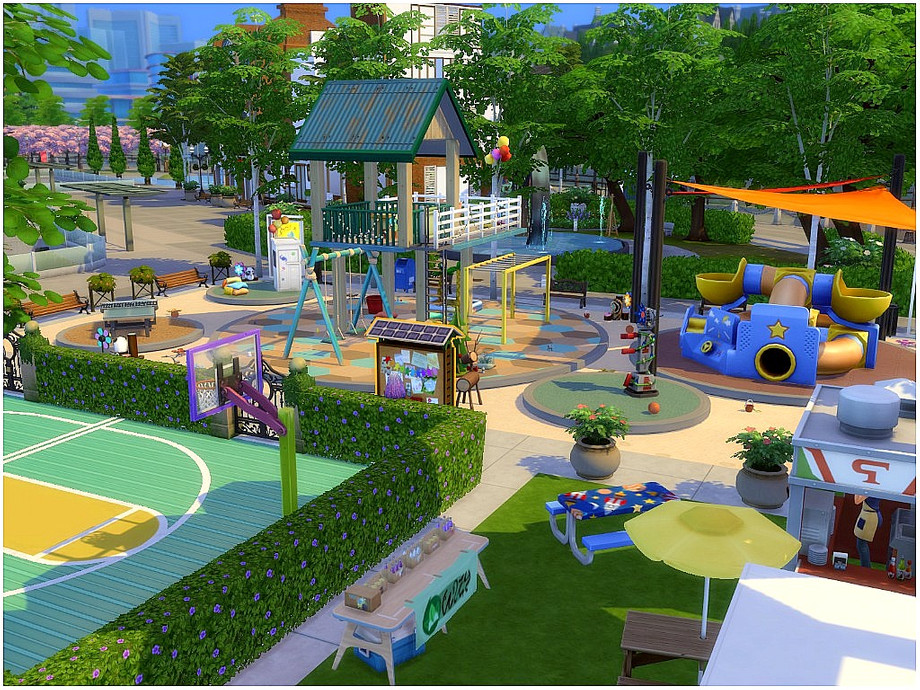
Parks and Community Lots — This is what makes a save feel alive. When your Sims have somewhere to go on a Tuesday afternoon, the world feels populated and real rather than like an empty stage set.
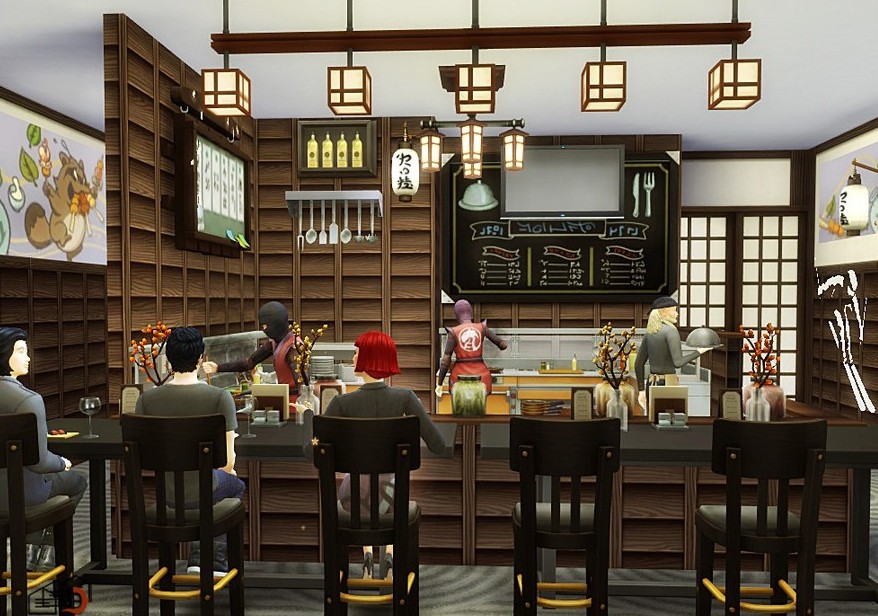
Restaurants — Your Sims need places to be taken on dates, celebrate birthdays, and have tense family dinners. A save without good restaurants misses a huge opportunity for organic storytelling.
Vacation Lots — If your Sulani is a travel destination, it needs places worth traveling to. Beautiful rental lots, beach hangouts, destination restaurants.

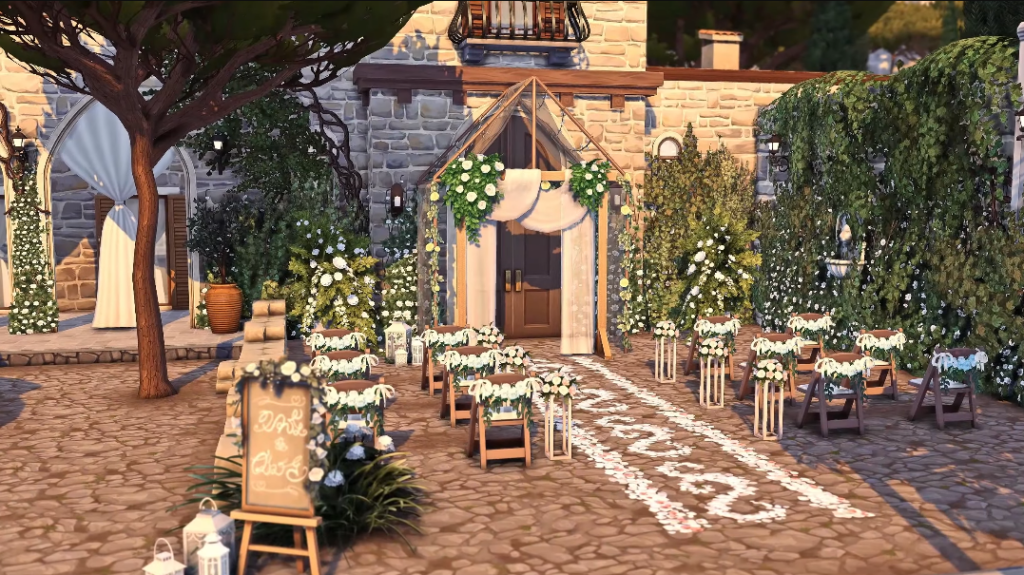
Wedding Venues and Event Spaces — For milestone storytelling, these matter more than players realize. A gorgeous wedding venue changes the whole energy of a wedding screenshot.
Build Slowly (Seriously, Build Slowly)
You definitely don’t need to renovate every world in one weekend.
And as someone who had plenty of save files get abandoned because I got burned out before I actually played the game, the idea of a new save is fun, the shopping for lots and CC is exciting, but there’s a very real thing called Sims burnout, and it happens when you pour all your energy into searching and building and planning and have nothing left for the actual gameplay.
Download too much at once, and all of a sudden, nothing looks cohesive, and you placed lots in worlds you actually don’t want them in because you never had a plan for the world.
The saves that players return to for years are not the ones that were perfectly built in a single weekend. They’re the ones that grew slowly and started to feel like somewhere real.
Keep Your Downloads Organized
Finally, let’s talk about the part most players never think about until they’re ready to throw the whole save away: organization.
Once your save is up and running and you’re actively downloading builds, things get crazy fast. You’ll find a perfect restaurant, download it, and six months later have absolutely no idea what it’s called, who made it, or where you put it.
This is preventable.
Create a folder, it can be a notes document, a Pinterest board, or a bookmarks folder in your browser, organized by category. Starter homes in one section, family homes in another, community lots in a third. When you download something, note the creator’s name and the lot name. This takes thirty seconds and saves you hours of searching later.
Inside the Gallery, use the favorites system consistently. Before you choose a lot to place, take two minutes to heart any builds you want to revisit. Your future self will thank you.
And whenever possible, stick to a consistent rotation of creators whose work you love. Not only does this keep your aesthetic consistent, but it also means you always know where to go when you need something new.
Starting a fresh Sims 4 save is one of the best feelings in the game because we Simmers love to flex our creativity and give our Sims new lives. Give your save a vision, make the Gallery your friend, build slowly, and let the world grow with your gameplay.
Ready to Actually Do This?
Reading about how to start a fresh Sims 4 save is one thing. Actually building one — without getting overwhelmed, without downloading everything at once, without abandoning it by day three — is another.
That’s exactly why I created the Free 7-Day Fresh Save Challenge.
Picture a save where every world has a purpose. No CC builds that load instantly. Residential lots that fit each neighborhood. Community spaces your Sims actually use. In seven days, I’ll walk you through building exactly that.
It comes with curated build recommendations, world planning ideas, and a free save blueprint to keep everything on track.